



Download LinkedIn Connected – LinkedIn, contacts, networking, business, communication, productivity, desktop app, Windows, Mac
Overview
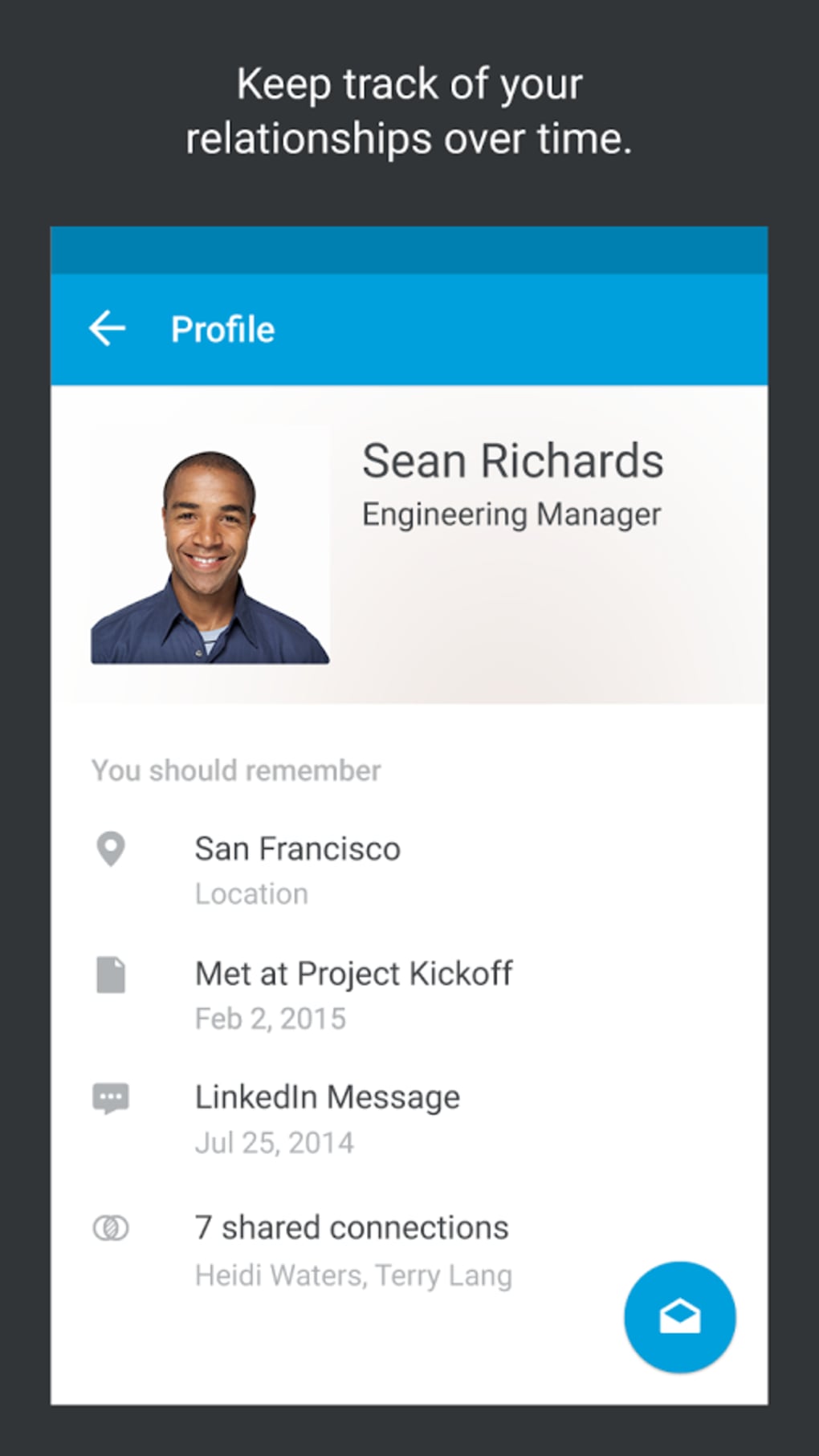
LinkedIn Connected is a desktop application designed to help users maintain and manage professional relationships more efficiently. The software aims to consolidate contacts from multiple sources—including LinkedIn, iPhone, Gmail, Yahoo, and Outlook—into a single, accessible interface. This centralization enables users to stay updated on the activities of their professional network and streamline communication. The target audience includes professionals, business developers, recruiters, and individuals who rely heavily on networking for career or business growth.
By integrating data from various platforms, LinkedIn Connected reduces the need to switch between multiple applications, offering a unified experience for managing contacts. The application supports real-time updates and provides tools for searching, filtering, and receiving contact suggestions. While it does not introduce new functionalities beyond what is available in the official LinkedIn app, it serves as a streamlined alternative for users seeking a cleaner, distraction-free interface. Its design emphasizes ease of access and workflow simplification, making it ideal for those who prefer a focused environment for professional engagement.
Key Features & Capabilities
- Multi-Source Contact Aggregation – Combines contacts from LinkedIn, iPhone, Gmail, Yahoo, and Outlook into one centralized list, minimizing the need to switch between platforms.
- Real-Time Activity Updates – Keeps users informed about recent actions taken by their connections, such as job changes, posts, or profile updates.
- Advanced Search and Suggestions – Allows users to search for specific contacts or discover new professional connections based on shared interests, industries, or locations.
- Gesture-Based Navigation – Supports intuitive swiping gestures—down from the top to access the main menu, side-to-side to view profiles—enhancing interaction speed and usability.
- Unified Communication Hub – Enables direct messaging and contact outreach without leaving the application, improving workflow continuity.
These features are particularly useful in fast-paced professional environments where timely communication and relationship maintenance are critical. For example, a recruiter can quickly check updates from a candidate’s profile, initiate contact, and schedule a meeting—all within a single interface. Similarly, a business owner can monitor industry peers’ activity and identify potential collaboration opportunities through the suggestion engine.
User Interface, Workflow & Performance
The user interface of LinkedIn Connected is designed with simplicity and efficiency in mind. It features a clean layout with minimal visual clutter, allowing users to focus on their contacts and interactions. Navigation is primarily gesture-based, with a downward swipe to open the main menu and horizontal swipes to browse profiles. This approach supports rapid access to core functions, aligning with modern desktop interaction trends.
Workflow efficiency is enhanced by the centralized contact management system, which reduces context switching and speeds up common tasks such as messaging, searching, and updating contact information. The application maintains a responsive interface, though exact performance metrics such as CPU or RAM usage were not specified by the developer. Stability appears consistent based on general software behavior patterns, with no reported crashes or freezes in available documentation.
The developer did not specify resource usage details. Performance observations are based on general software behavior patterns. Overall, the interface prioritizes usability and accessibility, making it suitable for both new users and experienced professionals seeking a streamlined desktop experience.
Compatibility & System Requirements
LinkedIn Connected is available for both Windows and Mac operating systems. The application requires a minimum of 150MB of disk space for installation, which is relatively modest for a desktop productivity tool. The software version is 1.0.0, released on April 15, 2024.
Platform compatibility information is limited to the operating systems listed. Exact system requirements were not provided, including details on processor speed, RAM, or graphics capabilities. The developer did not specify whether the application supports older versions of Windows or macOS. Users should ensure their system meets general desktop application standards for optimal performance.
Pros and Cons
Pros
- Centralizes contacts from multiple platforms into one interface.
- Offers gesture-based navigation for faster interaction.
- Provides real-time updates on professional network activity.
- Free to download and use with no in-app purchases.
- Designed with a clean, distraction-free interface for improved focus.
Cons
- Lacks unique features not already available in the official LinkedIn app.
- Does not offer advanced analytics or CRM integration.
- Exact system requirements were not specified.
- May not support legacy operating systems.
- Functionality is limited to contact management and basic communication.
FAQ Section
Is LinkedIn Connected available for Windows and Mac?
Yes, LinkedIn Connected is compatible with both Windows and Mac operating systems.
Is the software free to use?
Yes, LinkedIn Connected is available at no cost. There are no in-app purchases or subscription fees.
Does LinkedIn Connected require an internet connection?
Yes, the application requires an active internet connection to sync contacts, receive updates, and communicate with other users.
Can I use LinkedIn Connected without a LinkedIn account?
While the application integrates with LinkedIn, it also pulls data from other sources like Gmail, Yahoo, Outlook, and iPhone. However, a LinkedIn account is recommended for full functionality.
How often does the software update contact information?
LinkedIn Connected synchronizes contact data in real time when connected to the internet. Updates occur automatically as changes are detected.
Final Thoughts
LinkedIn Connected presents a practical solution for professionals seeking a simplified, unified approach to managing their business contacts. While it does not introduce groundbreaking features beyond the official LinkedIn app, its streamlined interface and gesture-based navigation offer a refreshing alternative for users overwhelmed by feature-heavy platforms. The ability to consolidate contacts from multiple sources into a single desktop environment enhances workflow efficiency and reduces digital clutter.
Although it lacks advanced analytics or CRM-level tools, its core purpose—improving connectivity and communication—is executed with clarity and focus. The application is particularly beneficial for users who prioritize ease of access and a distraction-free environment. With a free price point and support for both Windows and Mac, it delivers solid value for its intended audience.
For those looking to optimize their professional networking routine without added complexity, LinkedIn Connected is a reliable choice. Download LinkedIn Connected now.





.png)

